Enter a match
Open Play Velga. Choose Continue as Guest to try the game, or register or log in and select Enter Arena. An account is needed to save Velkies and own cosmetics.
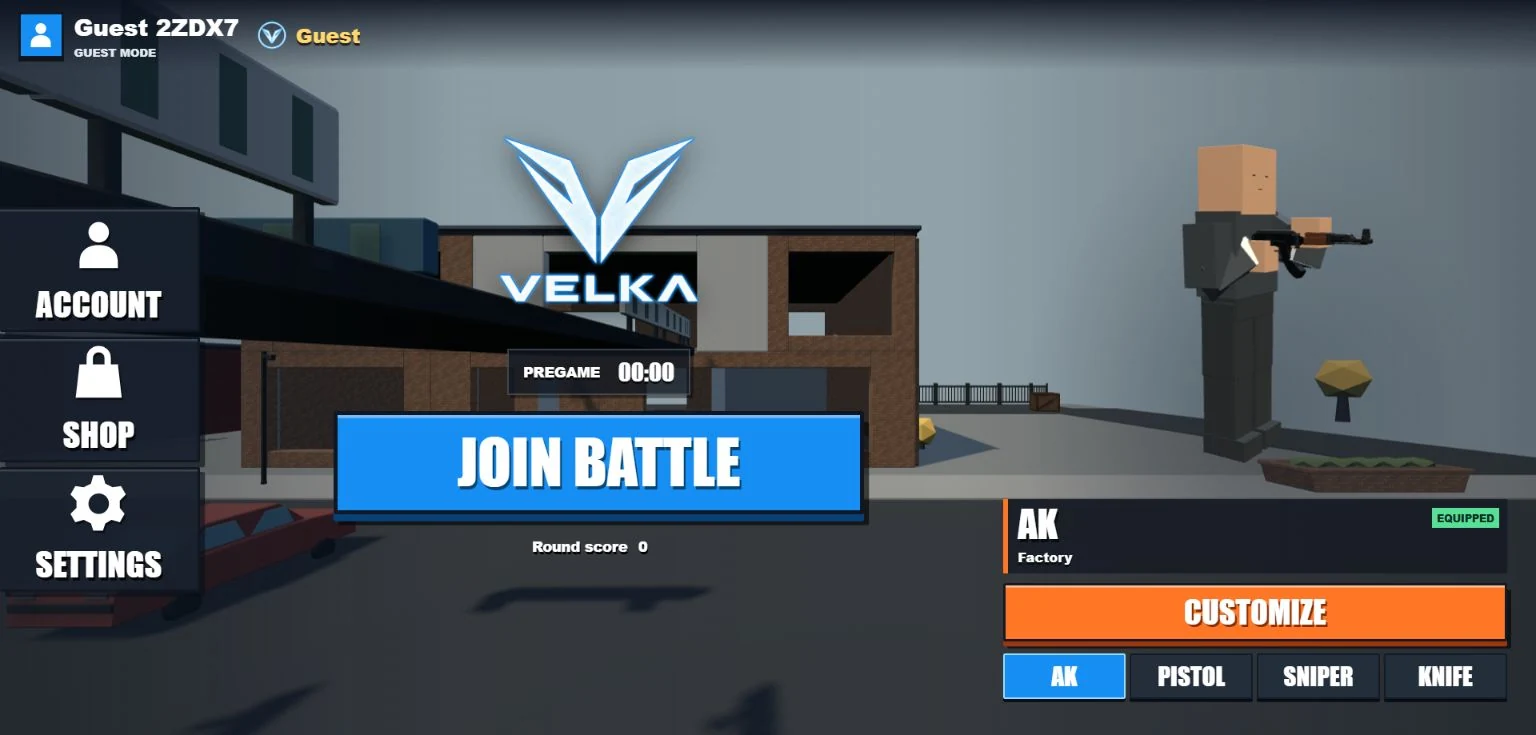
In the lobby, choose AK or Sniper as your primary, then select Join Battle. If a round is already running, the action reads Respawn. Click the play area to capture your mouse and look around.
Controls
| Input | Action |
|---|---|
| W A S D | Move forward, left, back and right. |
| Mouse | Look while the mouse is captured. |
| Space | Jump. Hold to jump again upon landing. |
| Shift | Crouch; hold during a moving jump’s descent for a landing slide. |
| E | Dash forward, with a five-second recharge. |
| Left mouse | Fire or attack. Hold for automatic fire with the AK. |
| Right mouse | Hold to aim with the AK or Sniper. |
| R | Reload. |
| 1 | Select your chosen primary. |
| 2 | Toggle Pistol / primary. From Knife, select Pistol. |
| 3 | Select Knife. |
| Q | Toggle primary / Knife. From Pistol, select Knife. |
| Tab | Hold to see the scoreboard. |
| Esc | Release the mouse and open the menu. |
Movement & slide-hopping
There is no sprint key. Shift crouches; movement speed comes from linking moving jumps and slides. Knife movement is faster than movement with a gun equipped.
- Get moving. Use WASD and jump. A slide needs existing speed; crouching from a standstill will not create a boost.
- Crouch during descent. Hold Shift as you fall toward the ground. A qualifying landing starts a short slide, adding momentum in the direction you are looking.
- Jump out of the slide. Jump again to carry that momentum forward. Holding Space lets you link jumps as you land.
Ordinary chained jumps also build speed gradually. Momentum has a cap and decays, so chaining movement does not accelerate forever. Use E for a separate dash in the direction you face; it becomes available again after recharging.
Loadout & aiming
Each loadout includes your selected AK or Sniper, plus a Pistol and Knife. Change the primary in the lobby before spawning; it stays locked for that life. The number keys and Q switch between carried weapons during play.
The AK supports held automatic fire. The Sniper and Pistol require separate clicks. Hold right mouse for the AK’s optic or the Sniper’s scope; Pistol and Knife do not use aim-down-sights. Watch your ammunition and press R to reload between engagements.
Rounds & respawning
Rounds last four minutes. The first player joining a waiting round starts the timer; you can also enter a round already in progress. Eliminating another player awards 250 score.
After death, return through the lobby’s Respawn action once the death presentation ends. Respawning is manual. At round end, the results show standings, score, kills, deaths and reward status. A ten-second post-round interval separates the result from the next waiting round.
The scoreboard records the current round. Its kills, deaths and score are not a lifetime account record.
Accounts & Velkies
At round end, your score converts to one Velkie per ten score, rounded down, up to 100 Velkies per round. For example, 250 score earns 25 Velkies; 1,500 score reaches the 100-Velkie cap.
Registered accounts save awarded Velkies and owned and equipped cosmetics. Guest results can show a calculated reward, but that reward is not saved. Check the result’s saved status rather than assuming a displayed total has reached your account.
Shop & cosmetics
Open Shop in the lobby to use the Wheel. A spin costs 100 Velkies and requires an account. The Wheel displays the rarity odds before you spin. The server determines the result; the animation reveals it.
A duplicate returns a rarity-based amount of Velkies instead of adding a second copy. Open Customize to select an owned finish. Skins change presentation, not weapon damage or other combat statistics. Guest mode uses Factory weapons.
Set up your view
Lobby Settings includes resolution scale, look and aim sensitivity, field of view and an FPS display. Lower the resolution scale if drawing the game is slow; adjust sensitivity before practicing your aim. Settings apply immediately and are remembered on this device.
For connection or mouse-capture problems, read Support. For account and browser questions, see the FAQ.